Cable Management Plan
Quick answer
A standard 15 amp, 120 volt household circuit carries 1,440 watts continuously after the standard 80 percent derate, and a fully loaded desk with two monitors, a dock and a lamp rarely passes 600 watts, so circuit capacity is almost never the real limit. The actual limit is usually the surge protector itself, since its internal varistors degrade with every surge event regardless of whether the power light still shows green.
Circuit capacity, the derate factor and surge protector degradation are published electrical facts; the tray, sleeve and grommet layout order is a practical convention for keeping cables working through height changes.
Cable management on a desk is really two separate problems wearing one name: electrical capacity and load, which is arithmetic, and physical routing, which is a layout problem that gets harder the moment a standing desk enters the picture. This guide covers the power math first, since it explains why running "too many things" off one strip is almost never actually an overload, then walks through a tray, sleeve and grommet layout that keeps cables intact as a desk moves up and down.
How much power can my desk circuit actually handle?
A standard 15 amp, 120 volt circuit is rated for 1,800 watts at full load, but the standard practice is to derate continuous loads to 80 percent of that rating, which works out to 1,440 watts that can safely run continuously without tripping the breaker or overheating the wiring.
A fully loaded desk setup, meaning two monitors, a laptop dock, a desk lamp, a small speaker and phone chargers, rarely passes 600 watts total, which leaves substantial headroom under the 1,440 watt continuous rating. Circuit capacity is almost never the actual constraint on a home office desk; the constraint is more often the number of physical outlets and the layout of the strip itself.
| Equipment | Typical continuous draw |
|---|---|
| 27 in monitor | about 25 to 40 W |
| 32 in 4K monitor | about 40 to 60 W |
| USB-C laptop dock, charging laptop | about 65 to 100 W |
| LED desk lamp | about 5 to 15 W |
| Standing desk motor, in motion | about 100 to 150 W |
Trays and sleeves
Shown across the range this category actually spans, from $8.99 to $39.99, rather than the cheapest few.
- Wrap-It Storage
Wrap-It Storage Zipper Cable Sleeve, Black, 24", 4-Pack
$18.99 Check pricePrices change often - Wrap-It Storage
Wrap-It Storage Hook and Loop Cable Sleeve, Black, 48", 2-Pack
$23.99 Check pricePrices change often - LOVJOYSE
Cable Management, 25.3'' Under Desk Cable Management Tray No Drill
$23.99 Check pricePrices change often - Univivi
Univivi No Drill Under Desk Cable Management Tray, 36 inch Cable Management
$39.99 Check pricePrices change often




Do I need a UPS, and what size?
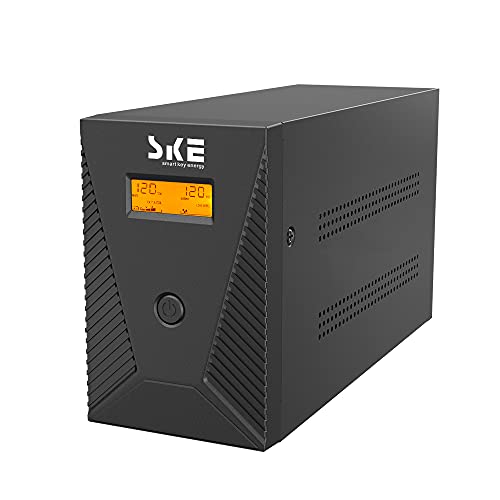
A UPS is worth adding if a power interruption would cost you unsaved work or a dropped video call, not because the desk circuit is at risk of overload. UPS capacity is rated in VA (volt-amps), and the published conversion from your equipment wattage to the VA rating you need is watts divided by 0.6, which accounts for the power factor of typical electronics.
For example, a desktop computer, monitor and router drawing a combined 250 watts would need a UPS rated for at least 250 divided by 0.6, or about 417 VA, and buying with some headroom above that minimum is reasonable since UPS batteries also degrade with age and charge cycles.
| Equipment load | Minimum UPS VA rating |
|---|---|
| 150 W (monitor + small PC) | about 250 VA |
| 250 W (desktop + monitor + router) | about 417 VA |
| 400 W (desktop + two monitors + dock) | about 667 VA |
Power and backup
Shown across the range this category actually spans, from $25.63 to $294.99, rather than the cheapest few.
- Acozvin
Desk Clamp Power Strip 10FT, Acozvin 40W Total Fast Charging Station
$25.63 Check pricePrices change often - VILONG
VILONG Dual Layer Desk Clamp Power Strip, 20W USB-C, 700J Surge Protector
$32.99 Check pricePrices change often - CyberPower
CyberPower CP1500AVRLCD3 Intelligent LCD UPS Battery Backup
$199.95 Check pricePrices change often - TRIPP LITE
Eaton Tripp Lite SMART1500LCD 1500VA 2U Rack Mount UPS 900W Battery Backup
$294.99 Check pricePrices change often




Why does my surge protector need replacing even though the light is still on?
Surge protectors are consumables, not permanent fixtures. The internal varistors that absorb voltage spikes degrade a little with every surge event they clamp, whether that event was a lightning-adjacent grid fluctuation or just a nearby appliance cycling on. The power indicator light typically only confirms the strip has power flowing through it, and is NOT a protection indicator, so a strip can be electrically dead as a surge protector while its light stays lit.
A strip more than a few years old, or one that has been through a known power event, is worth replacing on a schedule rather than waiting for a visible failure that a varistor degrading quietly will not necessarily produce.
Grommets and dock
Shown across the range this category actually spans, from $9.19 to $53.99, rather than the cheapest few.
- Selore&S-Global
Selore USB C Docking Station Dual Monitor, 14-in-1 Laptop Docking Station
$42.49 Check pricePrices change often - Anker
Anker Laptop Docking Station Dual Monitor, 8-in-1 USB C Hub with 4K HDMI
$53.99 Check pricePrices change often


What is the actual order to route cables on a fixed desk?
Start with a cable tray mounted under the desk, which becomes the collection point for every cable running from the desk surface down toward the wall outlet, keeping the bulk of the mess off the floor and out of view. Route each individual cable from its device down into the tray, using a cable sleeve to bundle parallel runs, such as a monitor's power and video cables, into a single manageable line instead of loose strands.
Where cables need to pass through the desktop itself, a grommet gives a clean, protected hole rather than running cords over the back edge where they get pinched or pulled with desk movement. Finish by mounting the power strip itself to the tray or the underside of the desk rather than leaving it loose on the floor, which keeps the whole system moving as one unit if the desk is ever repositioned.
How does a standing desk change the cable plan?
A sit-stand desk multiplies the routing problem because every cable now needs enough slack to accommodate the full range of motion between the minimum and maximum height, without dragging on the floor at the bottom or pulling taut at the top. A cable tray mounted to the desk frame itself, rather than the wall or floor, moves with the desk and keeps the slack consistent at every height.
The power strip and any docking station should also mount to the moving desk frame rather than sitting on a fixed shelf nearby, since a fixed-position strip forces every cable running to it to be long enough for the desk's highest position while bunching excessively at its lowest.
What is the difference between a cable tray, sleeve and grommet, and do I need all three?
A tray is a physical shelf that carries the bulk of the cable run and the power strip itself. A sleeve is a fabric or plastic wrap that bundles multiple parallel cables into one line for a cleaner look and less tangling. A grommet is a hole cover that lets cables pass through the desktop cleanly. Most setups benefit from a tray as the backbone, sleeves for the visible runs at the desk surface, and a grommet only if the desk does not already have a built-in cable pass-through.
Get the desk setup checklist
One page: the measurements to take, the order to set them in, and the numbers to check against. Free, no spam.
The mailing list opens shortly. Every measurement it covers is already on this site, in the calculators and the fit tables, at no cost and with no address required.
Questions people ask
How many devices can I safely run off one desk power strip?
Count total wattage, not device count. Add up the continuous draw of everything plugged in using the table above and compare against the 1,440 watt continuous rating of a standard 15 amp circuit. A typical desk setup with two monitors, a dock, a lamp and small accessories totals well under that limit, so the practical constraint is usually the number of physical outlets on the strip, not amperage.
Does a more expensive surge protector last longer before the varistors wear out?
Higher-rated surge protectors, measured in joules, can absorb more total surge energy before their varistors are exhausted, which effectively extends the useful life under the same exposure to power events. But no surge protector at any price is permanent, and periodic replacement remains the safer assumption regardless of the joule rating on the box.
Is it safe to plug a power strip into a UPS?
Generally yes for adding outlet count within the UPS's rated capacity, but confirm the combined load of everything on that strip stays under the UPS VA rating calculated from watts divided by 0.6. Avoid plugging a second surge-protecting strip into the UPS in a way that duplicates surge protection unnecessarily; the UPS already provides that function for its own outlets.
What size UPS do I need for a standing desk motor plus a computer?
Most UPS units are sized for keeping computers and monitors running through a brief outage, not for powering a standing desk motor, which draws a short burst rather than continuous load and is not typically something you need backed up during an outage. Size the UPS to your computer, monitor and networking equipment using the watts divided by 0.6 formula, and treat the desk motor as unrelated to that calculation.
Why do my cables keep getting pinched at my standing desk's lowest setting?
This usually means the cable tray or slack loop is anchored to a fixed point rather than to the moving desk frame, so the cable run is sized for one height and becomes too short or gets caught at another. Re-route so the tray and any slack loop travel with the frame, giving consistent slack across the full range of motion rather than a fixed length calculated for only one position.
Do I need a grommet if my desk already has a cable pass-through hole?
Only if the existing hole has sharp or unfinished edges that could wear through cable insulation over time. A factory grommet or finished pass-through already serves the same purpose as an added grommet, so installing a separate product is redundant unless the built-in opening is missing a protective edge or is noticeably larger than the cable bundle passing through it.