How to Set Up Your Desk
Quick answer
Set the chair first, the desk second to match your elbows, and the screen last: reversing that order is the most common home office mistake. As a starting point, seated desk height runs about 0.41 times your standing body height, adjusted from there until your elbows sit at 90 to 120 degrees.
The adjustment order and the elbow, wrist and neck angles are drawn from published ergonomics guidance; the height ratios are a convention for getting a fast starting point before fine adjustment.
Most home offices get set up backwards: a desk arrives, a chair gets pulled up to it, and a monitor gets placed wherever there is room, which forces the body to adapt to furniture instead of the other way around. The fix is not a specific desk or chair, it is a sequence. Set the chair to your body first, set the desk to your seated elbows second, and set the screen to your eyes last. Every number below is either a published range from ANSI/HFES 100 and ANSI/BIFMA G1, which describe adjustment ranges rather than single correct dimensions, or a rule-of-thumb ratio for finding a starting point fast. Both are labeled so you know which is which.
What order should I actually set things up in?
Chair first, desk second, screen third. This sounds trivial but it is the single most common thing people get backwards: they set the chair to suit a desk that was already sitting in the room, rather than setting the desk to suit a chair that already fits their body. Once the chair is right, the desk height is just a matter of matching the work surface to where your elbows already are.
The reasoning is straightforward. A chair has more adjustment points that are personal to your body (seat height, seat depth, armrest height, lumbar position) and a fixed desk has none once it is built or set. If you set the desk first, you are locking in a number before you know what your elbows need. If you set the chair first, the desk becomes a simple follow-up measurement.
What do the published standards actually specify?
ANSI/HFES 100, Human Factors Engineering of Computer Workstations, is the standard that matters most here, and the single most important idea in it is that it specifies adjustment RANGES that accommodate a percentile range of users, not one correct dimension for everybody. There is no "correct" desk height in the standard; there is a range that a well-designed adjustable desk needs to cover so that a 5th percentile and a 95th percentile adult can both use it.
ANSI/BIFMA G1 is the companion ergonomics guideline that translates body dimensions into the furniture adjustment ranges manufacturers design to. Neither standard tells you your number. They tell you the range your furniture should be able to reach, and it is up to you to find where in that range your own body lands.
Chairs to set first
Shown across the range this category actually spans, from $84.99 to $349.99, rather than the cheapest few.
- COSTWAY
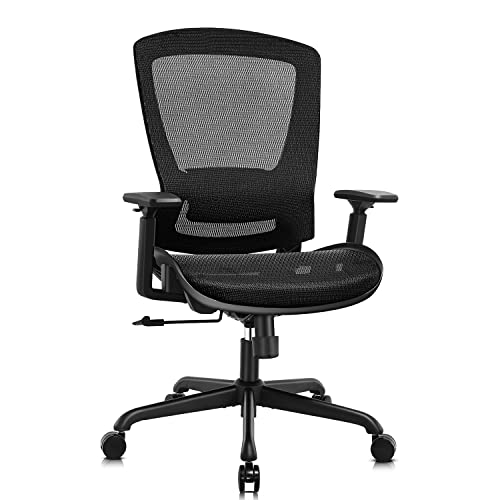
COSTWAY Office Drafting Chair with Ergonomic Back and Adjustable Footring
$84.99 Check pricePrices change often - Humergo
Ergonomic Office Chair with Footrest, 90-145° Reclining Mesh Desk Chair
$129.98 Check pricePrices change often - SIHOO
SIHOO M57 Ergonomic Office Chair, Mesh Back Desk Chair with 3D Armrests
$199.99 Check pricePrices change often



How do I get a fast starting height without measuring anything?
If you know your standing height, you can get a reasonable starting point for every major dimension using ratios of that height. These are conventions, not standards: nobody published them as a specification, but they are a widely used shorthand for getting close before you fine-tune by feel.
Treat the table as a first guess, then adjust up or down while sitting or standing at the desk until your elbows, wrists and neck fall inside the ranges in the next section.
| Dimension | Ratio of height | Example at 5'8" (68 in) |
|---|---|---|
| Seated desk height | 0.41 x height | about 27.9 in |
| Standing desk height | 0.62 x height | about 42.2 in |
| Seat height | 0.25 x height | about 17.0 in |
| Seated eye height | seat height + 0.44 x height | about 46.9 in |
| Standing eye height | 0.935 x height | about 63.6 in |
How do I set the chair first?
Start with seat height so your thighs are level or sloping slightly down and your feet reach the floor or a footrest, which lines up with the posture guidance below. Seat pan depth follows a rule of thumb of about 0.28 times your height minus 2.5 inches of knee clearance, which gives you two to three finger-widths of space between the front edge of the seat and the back of your knee.
Armrests, if the chair has them, land at roughly 0.145 times your height above the seat pan by convention, which is close to where your elbow already sits when your shoulders are relaxed. Lumbar apex, the point where the backrest pushes into your lower back, sits around 0.115 times your height above the pan for most adults, though this is the one adjustment worth setting by feel over a rule.
Desks to match your elbows
Shown across the range this category actually spans, from $79.99 to $679.99, rather than the cheapest few.
- Furmax
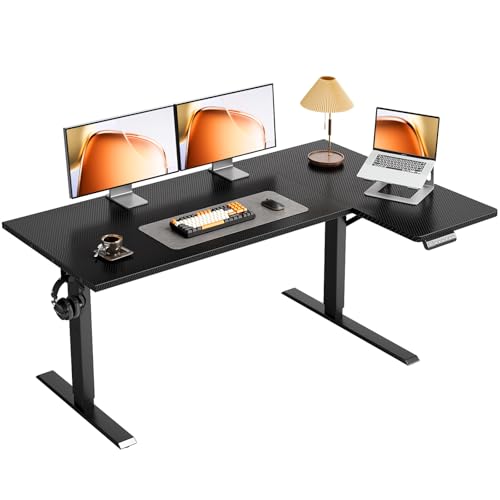
Furmax 55 Inches Electric Height Adjustable Standing Desk Home Office Desk
$109.99 Check pricePrices change often - OffiGo
OffiGo 55" Reversible L Shaped Electric Standing Desk, Carbon Fiber Black
$149.99 Check pricePrices change often - VIVO
VIVO Reclaimed Wood 60 x 24 in Standing Desk, DESK-KIT-1B6P
$219.99 Check pricePrices change often




How do I set the desk to match the chair?
With the chair set, sit down, relax your shoulders, and let your arms hang naturally with elbows bent. The desk surface should meet your palms at that height, which keeps elbows in the 90 to 120 degree range from published posture guidance rather than forcing them wider or narrower. If your desk is fixed height and does not match, a keyboard tray is the cheaper fix than a new desk.
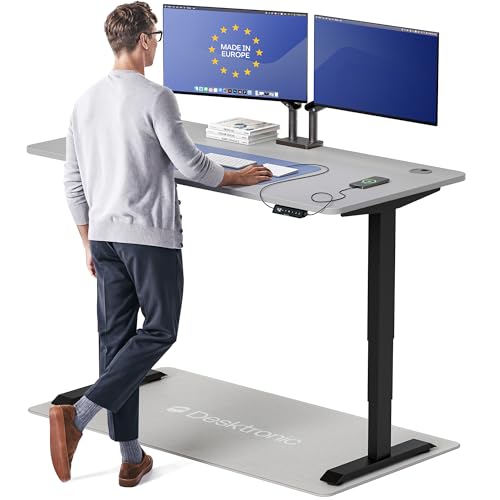
For a standing desk, repeat the same test standing up: relaxed shoulders, elbows bent, desk meets your palms. Most people need a noticeably different number standing than seated, which is exactly why the standing ratio above is higher than the seated one, and why the minimum height of a standing desk (not the maximum) is the spec that trips up shorter users, covered in the standing desk buying guide.
How do I set the screen last?
Screen placement is the one step built on real trigonometry rather than a body ratio. Top of the usable screen belongs at or just below eye height, which means a larger panel needs to sit lower on the desk or on a shorter riser than a small one. Distance depends on resolution: higher pixel density lets you sit closer without the pixel grid becoming visible, covered in full in the monitor setup guide.
A factory monitor stand eats about 9 inches of desk depth, while a clamp-on monitor arm needs roughly 3 inches of clearance and gives you back about 6 inches of usable desk depth, which matters more on smaller desks than most buyers expect going in.
Getting the screen right last
Shown across the range this category actually spans, from $17.99 to $309.99, rather than the cheapest few.
- TEAMIX
TEAMIX Wood Monitor Stand Riser for Desk - 14.2 inch, Small Laptop Stand
$17.99 Check pricePrices change often - WALI
WALI Adjustable Single Monitor Arm for 13-34 inch Screens, up to 26.4 lbs
$25.49 Check pricePrices change often - Acer
Acer Single Monitor Mount, Fully Adjustable Monitor Arm Fits 17-34" Screens
$31.99 Check pricePrices change often


What does "neutral posture" actually mean in numbers?
These figures come from published posture guidance and are the target you are adjusting the chair, desk and screen toward, not a fixed pose to hold rigidly all day. Movement matters more than any single static position, which is covered in the posture and breaks guide.
| Body part | Target range | Why it matters |
|---|---|---|
| Elbows | 90 to 120 degrees open | Keeps forearm load off the shoulder |
| Wrists | Neutral, under about 15 degrees extension | Extension past 15 degrees raises carpal tunnel pressure |
| Neck | Flexion under about 15 degrees | Reduces sustained load on neck extensors |
| Thighs | Level or sloping slightly down | Keeps hip angle open, avoids pressure behind the knee |
What should I buy first if I am starting from nothing?
Given the chair-desk-screen order above, spend first on the piece with the most adjustment range for your body, which is usually the chair, then a desk that can hit your seated and standing numbers, then a monitor arm if your screen height and distance do not already line up. The grids below span the price range in each category so you can see what published specifications actually get you at each tier.
Get the desk setup checklist
One page: the measurements to take, the order to set them in, and the numbers to check against. Free, no spam.
The mailing list opens shortly. Every measurement it covers is already on this site, in the calculators and the fit tables, at no cost and with no address required.
Questions people ask
Do I really need to redo my whole setup if I already have a desk?
No. The order still applies to adjustment, not purchase. Set your existing chair to your body first using the seat height, depth, armrest and lumbar guidance above, then check whether your existing desk height still lands your elbows in the 90 to 120 degree range. If it does not and the desk is not adjustable, a keyboard tray or a monitor arm often closes the gap for less than a new desk.
What if my desk height ratio and my actual comfortable height do not match?
Use the ratio as a starting point, not a final answer. It is a convention built from average proportions, and your own arm length, torso length and preferred posture will shift the real number a little in either direction. Adjust from the calculated starting point while seated with relaxed shoulders until your elbows sit in the neutral range, then treat that as your real number going forward.
Does ANSI/HFES 100 tell me my exact desk height?
No, and this is the most misunderstood part of the standard. ANSI/HFES 100 specifies the range of adjustment a workstation needs to cover to accommodate a percentile spread of adult bodies, not a single correct dimension for any one person. It tells manufacturers what range to build to; it does not replace the fitting process described in this guide.
I sit and stand at the same desk. Does the order still apply?
Yes, twice. Set the chair once for the seated position, then check the seated desk height against your elbows. Separately, stand at the desk with relaxed shoulders and set the standing height the same way. The two numbers will not match, which is expected and is exactly what a sit-stand desk is for.
What is the single biggest mistake people make setting up a desk?
Buying the desk and chair in the wrong order of attention: picking a desk on looks or price, then trying to make a chair work with whatever height it turns out to be. Flipping that, fitting the chair to your body first and the desk to the chair second, fixes most of the posture complaints people associate with "a bad desk" without buying anything new.
How often should I re-check this setup once it is dialed in?
Recheck any time your chair, desk or footwear changes, and periodically if you have gained or lost the kind of weight or height (in growing children sharing a desk) that shifts the ratios. Otherwise a properly fitted setup does not need re-measuring, though the posture and breaks guide covers why the position still should not be held rigidly all day.